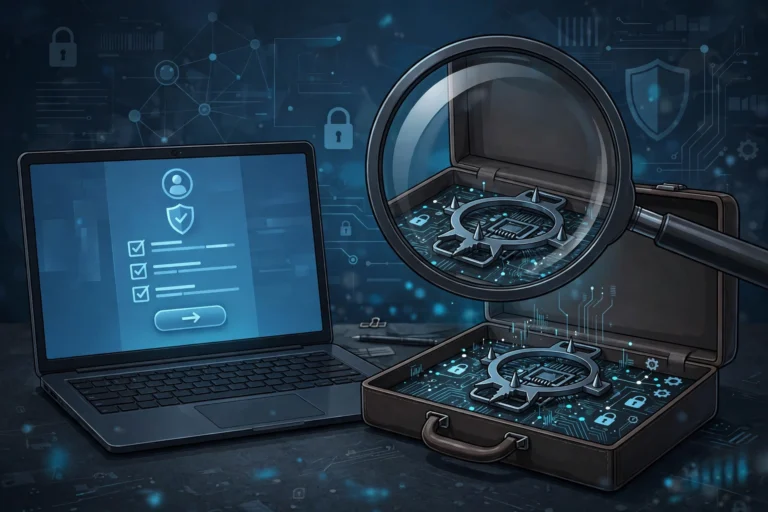

Imagine someone standing behind you, writing down every single key you press — your passwords, your credit card numbers, your private messages, your banking PIN. That is exactly what a keylogger does, except it is invisible software (or a tiny hidden device), and it can watch you for months without you ever knowing.
Keyloggers are among the oldest spy tools in existence, and they remain one of the most effective. Here is how they work and how to protect yourself.
What Is a Keylogger?
A keylogger (keystroke logger) is a tool that records every key pressed on a keyboard. The basic versions capture raw keystrokes; advanced ones also take screenshots, record clipboard contents, log which applications you use, and even capture audio from your microphone.
Not all keyloggers are malicious. Employers sometimes use them (with disclosure) to monitor company devices, parents use them in parental-control software, and IT teams use them for troubleshooting. But in the wrong hands, a keylogger is a password-stealing machine that turns everything you type into a shopping list for criminals.
Types of Keyloggers
Software keyloggers are the most common:
- Kernel-level keyloggers — run deep inside the operating system, nearly invisible to antivirus software.
- API-based keyloggers — intercept keystrokes as they pass between the keyboard and applications.
- Form-grabbing keyloggers — record data entered into web forms, capturing logins even if you paste them instead of typing.
- Screen scrapers — take screenshots or record the screen around mouse clicks, defeating on-screen keyboards.
Hardware keyloggers are physical devices:
- USB/PS2 dongles — small adapters plugged between the keyboard cable and the computer. Common in offices and public computers.
- Keyboard overlays — fake keyboard skins placed over real keyboards, mostly on ATMs and point-of-sale terminals.
- Acoustic and electromagnetic — exotic techniques that reconstruct keystrokes from the sound of typing or radio emissions. Rare, but real.
Mobile keyloggers hide inside malicious apps or stalkerware, capturing taps on virtual keyboards, messages, and call logs.
How Criminals Install Keyloggers
Keyloggers need a way onto your device, and attackers use familiar tricks:
- Phishing emails with infected attachments — the classic delivery method.
- Trojan downloaders — malware whose only job is to install a keylogger silently.
- Bundled with pirated software and fake “free” utilities.
- Physical access — a few seconds alone with your laptop is enough to plug in a hardware keylogger or install software.
- Public and shared computers — libraries, hotel lobbies, and internet cafés are prime keylogger territory.
- Malicious apps — especially Android apps from outside the official Play Store.
The software route is by far the most common for home users. If you can avoid phishing and pirated software, you block most keylogger infections before they start.
What Keyloggers Steal
Everything you type is fair game, but attackers are after specific high-value data:
- Passwords — email, banking, social media, work accounts. One captured email password often unlocks password resets everywhere else.
- Credit and debit card numbers, expiry dates, and CVV codes typed into checkout pages.
- Private messages and emails — used for blackmail or social engineering.
- Corporate secrets — keyloggers on work machines can capture proprietary data and internal credentials.
- Two-factor backup codes and answers to security questions.
The truly frightening part is the delay. Keyloggers typically log now and exploit later — the attacker collects weeks of keystrokes, then mines the log for credentials at leisure. By the time your bank account is drained, the infection may be months old.
6 Warning Signs of a Keylogger
- Lag or delay when typing — keystrokes appearing a fraction of a second late can indicate interception.
- Antivirus or firewall mysteriously disabled and refusing to turn back on.
- Unknown processes consuming resources in Task Manager.
- Mouse or keyboard behaving strangely — though this usually has innocent causes.
- Your accounts get compromised despite strong, unique passwords — a strong sign credentials are being captured at the source.
- A physical dongle between your keyboard cable and PC that you did not put there — check, especially on shared machines.
In practice, good keyloggers show no symptoms at all. Do not rely on spotting one; rely on preventing one.
How to Protect Yourself from Keyloggers
Use reputable antivirus with real-time protection and keep it updated. Modern behavioral detection catches most software keyloggers.
Use a password manager. This is the single best defense. When your manager autofills credentials, you never type them — and keyloggers capture nothing. Form-grabbers are a partial exception, which is why the other layers matter.
Enable two-factor authentication (2FA) on every important account, preferably with an authenticator app rather than SMS. Even if a keylogger captures your password, the second factor blocks the login.
Keep your operating system and browser updated — patches close the vulnerabilities keyloggers exploit to install themselves.
Be careful on shared computers. Assume any public machine is compromised. If you must log in, change the password from your own device afterward and check for unfamiliar hardware on the keyboard cable.
Use virtual keyboards cautiously. On-screen keyboards defeat simple keystroke capture but not screen scrapers. They help on untrusted machines; they are not a complete solution.
Review installed programs and browser extensions regularly, and remove anything you do not recognize.
What to Do If You Suspect a Keylogger
- Stop typing sensitive information on that device immediately. Use a different, clean device for banking and email.
- Run a full antivirus and anti-malware scan from Safe Mode if possible.
- Check for physical devices on your keyboard connection.
- Change all important passwords from a clean device, starting with your email (the master key to password resets).
- Enable 2FA everywhere if you have not already.
- Check bank and card statements for unauthorized transactions and report them.
- If the infection persists, back up data and reinstall the OS.
Keyloggers are a reminder of an uncomfortable truth: your keyboard is a direct line to your digital life. A password manager plus two-factor authentication cuts that line for attackers — even if a keylogger is watching, there is nothing worth stealing in what you type.
About the Author